Dead Skull 3d: Adding Bold Dimension to Your Design Projects
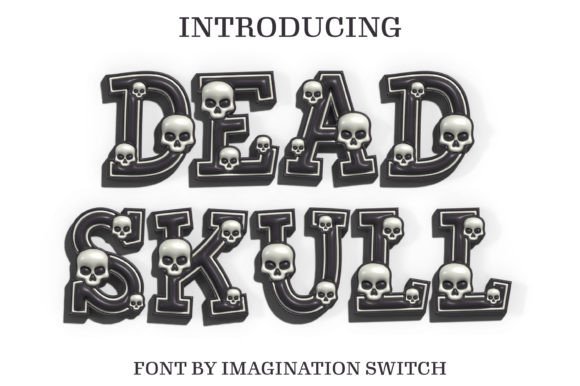
When you need a typeface that doesn’t just sit on the page but jumps off it, you are looking for a display font with serious presence. Dead Skull 3d is exactly that kind of typographic creation. It is not your standard text face; it is a visual statement designed to bring dimension and vitality to every character it touches. By utilizing clever shading and depth techniques, this font creates an illusion that makes the letters appear to pop out of the screen or paper. If you are working on a project that demands attention, this specific style of modern typography offers a unique visual sensation that flat text simply cannot match.
Understanding the Visual Impact
The primary appeal of Dead Skull 3d lies in its ability to create hierarchy instantly. In design, visual hierarchy guides the viewer’s eye to the most important information first. Because this font utilizes a 3D style, it naturally commands the top spot in any layout. It is a premium font choice for headers, titles, and logos where you need maximum impact with minimal words. The depth created by the typeface provides a tactile quality, making the text feel like a physical object rather than just digital data.
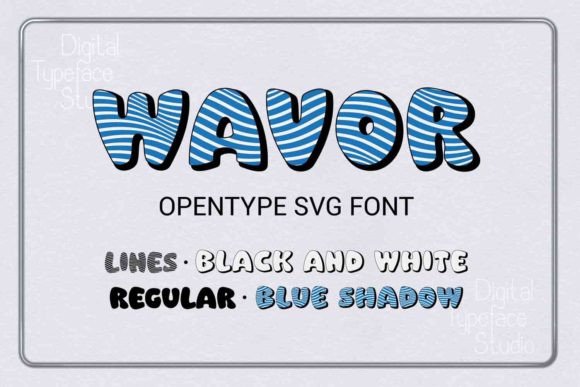
However, it is important to note the technical nature of this asset. Dead Skull 3d is an OpenType-SVG color font. This means the "3D" effect and the color gradients are baked directly into the font file. When you type, you are essentially placing a vector image. This is a massive advantage for designers using software like Adobe Photoshop, Illustrator, or Affinity Designer, as you don’t need to manually add drop shadows or bevels to achieve the look. The font does the heavy lifting for you, ensuring that the lighting and perspective remain consistent across every letter.
Where to Use This Dimensional Typeface
Because Dead Skull 3d is a heavy, stylized font, it functions best as a display typeface. Trying to use it for long paragraphs would likely hinder readability, but as a headline generator, it is incredibly effective. Here are some practical applications where this font shines:
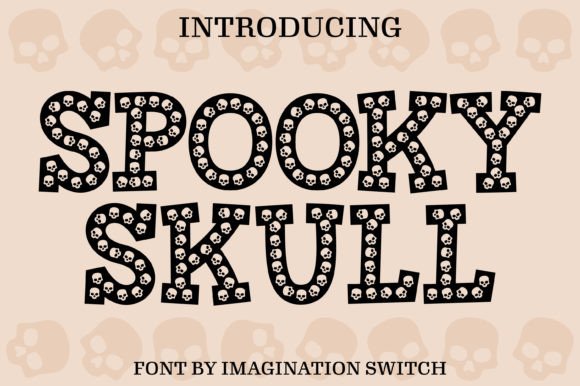
- Event Branding: For music festivals, Halloween parties, or horror-themed escape rooms, this font sets the mood immediately. The "skull" aesthetic lends itself well to edgy, high-energy environments.
- Merchandise and Apparel: T-shirt design is a perfect match for this style. The bold, colorful nature of the font translates well to DTG (Direct to Garment) printing, allowing for vibrant graphics that stand out on fabric.
- Poster and Flyer Design: Whether it is a gig poster or a movie night flyer, the 3D effect ensures your title is legible even from a distance. It adds a layer of professionalism and polish that flat text often lacks.
- Social Media Graphics: In a crowded feed, you have less than a second to grab attention. Using Dead Skull 3d for Instagram stories or YouTube thumbnails can stop the scroll because of its distinct depth and color.
- Logo Design: For brands in the gaming, entertainment, or extreme sports industries, this font provides a strong foundation for a wordmark. It suggests energy and modernity.
Strategic Pairing and Readability
One of the most common mistakes with creative fonts is failing to pair them correctly. Because Dead Skull 3d is so expressive, it needs a grounding partner. You generally want to avoid pairing it with other decorative fonts like a script font or a handwritten font, as this will create visual chaos. Instead, balance the dimension of the skull font with a clean sans serif font or a simple serif font for your body copy.
For example, if you are designing a brochure, use Dead Skull 3d for the main headline to grab attention, and then switch to a geometric sans serif font for the subheadings and body text. This contrast allows the 3D font to perform its job—drawing the eye—while the secondary font ensures the actual information is easy to read. This approach maintains a professional brand identity while still showcasing personality.
Technical Considerations and Compatibility
Before you commit to using Dead Skull 3d in your workflow, you must verify your software capabilities. As mentioned, this is an OpenType-SVG font. While this offers incredible visual fidelity, it is not universally compatible with all cutting machines or software versions.
Specifically, if you are a crafter using a Cricut machine, the standard OTF or TTF files for this product will not work as intended, as Cricut Design Space does not fully support the complexity of color SVG fonts in the same way graphic design software does. However, it works beautifully in Silhouette Studio (Designer Edition or higher), Adobe Photoshop, Illustrator, and Inkscape. Always check the licensing and file types to ensure the design asset fits your specific production method.
Evaluating the Fit for Your Project
When deciding if Dead Skull 3d is the right choice, consider the personality of your brand or project. Does your design need to feel gritty, bold, and energetic? If the answer is yes, this font is a strong contender. It is particularly effective for packaging design where shelf appeal is critical. A product box featuring this typography signals that the contents are exciting and modern.
Ultimately, typography is about communication. Dead Skull 3d communicates strength, depth, and style. By integrating this font into your toolkit, you gain a powerful asset for creating dynamic headers and eye-catching graphics that elevate your visual storytelling. Whether you are designing for a client or your own business, having a high-impact 3D font in your library ensures you are always ready to make a bold statement.